
PR Header Attachement
Upload Attachments at PR header level are only possible if this option is activated in SAP. If enabled, users can upload documents (e.g., PDFs, images, etc.) for the entire Purchase Requisition. These attachments are linked to the whole PR and are visible across all items.
It is recommended to use header-level attachments only if the document is relevant for the entire PR (basket).
If a document relates to a specific item, it should be uploaded at item level instead.
Case 1: PR Submitted (in Approval Process)
If the Purchase Requisition (PR) has been submitted and is still in the approval process, it means that no Purchase Order (PO) has been generated yet. In this case, you can still add attachments by switching the PR to edit mode (PR draft) and uploading the required documents at header level.
Steps:
Open the Purchase Requisition
Click Edit to switch to edit mode and open the Basket
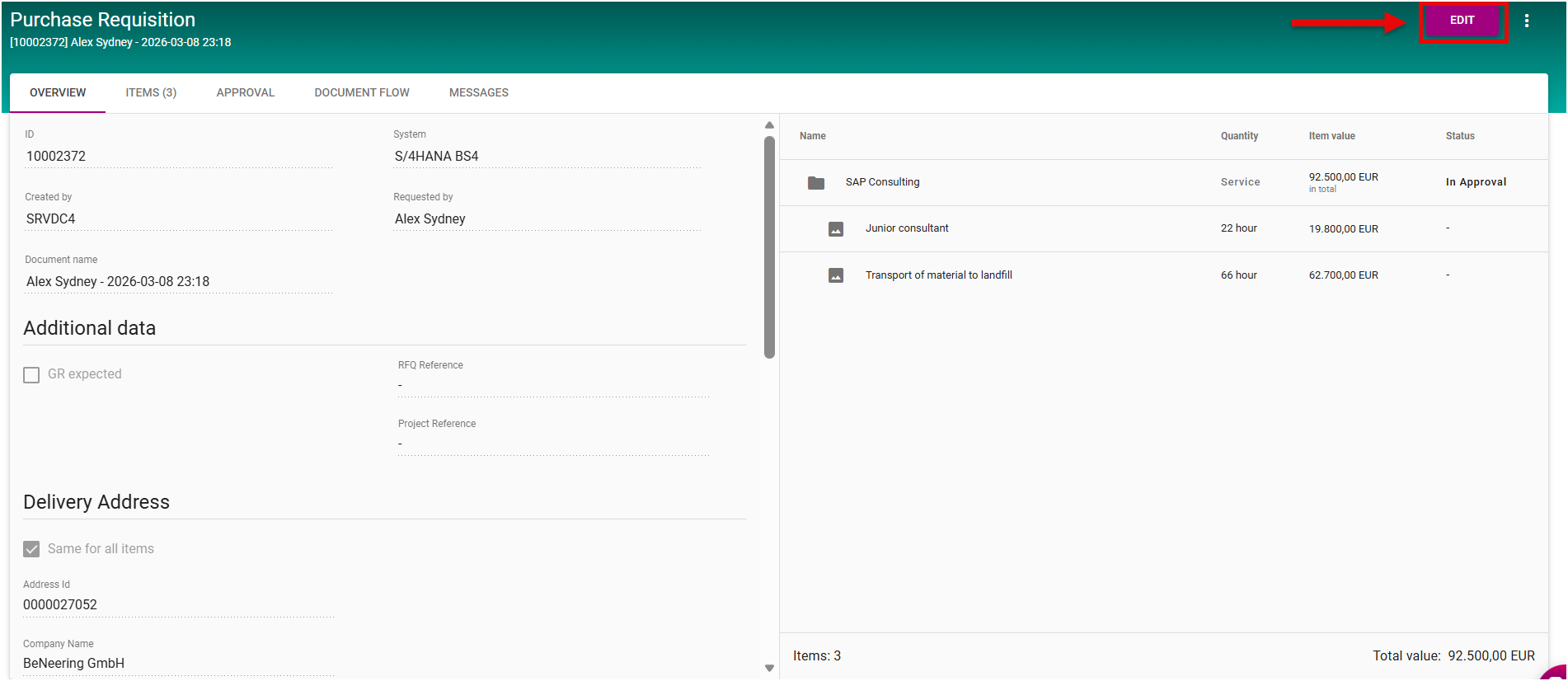
Navigate to the Header section
Scroll down to the Attachments section
Use the upload area to add your files
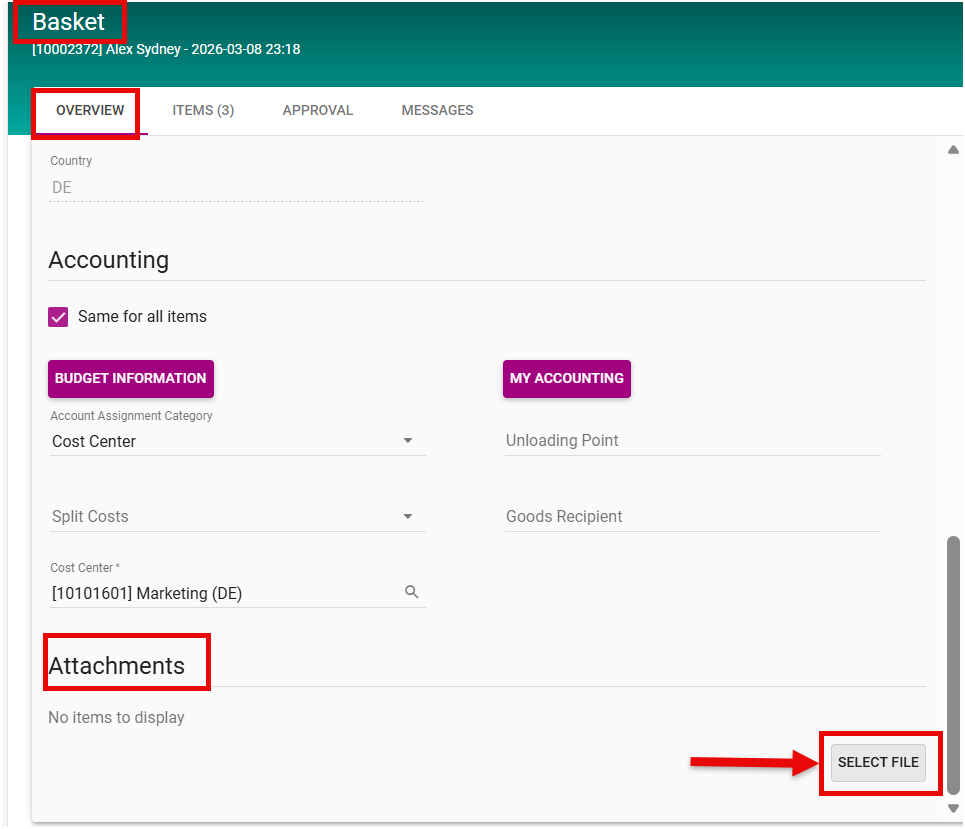
Upload Attachement in PR (Basket) Header
Attachments can include documents such as specifications, quotations, or other supporting information relevant to the entire requisition.
Case 2: PR Not Yet Submitted
If the PR has not yet been submitted, you can directly open the basket, navigate to the Header section, and add attachments there without any additional steps.
After submitting the basket, the attachments added at header level are also displayed in SAP within the corresponding Purchase Requisition.This means that the attachments are available for the entire PR and are not assigned to specific items.