
Partial Goods Receipt with Final Delivery
When a user confirms only a partial goods delivery, the confirmed quantity will be less than the quantity in the purchase order. In this case, the system will prompt the user to indicate whether this is the final delivery. If confirmed, the system will automatically set the ‘Final Delivery’ flag on the purchase order item.
Step-by-Step
Log in to the BeNeering Cloud and click on Purchasing
Navigate to Orders → Purchase Orders.
Select the Purchase Order
Open the PO that is partially delivered.
Start the Goods Receipt
Click on Create Confirmation
Enter Quantity Received
Input the delivered quantity (less than ordered quantity).
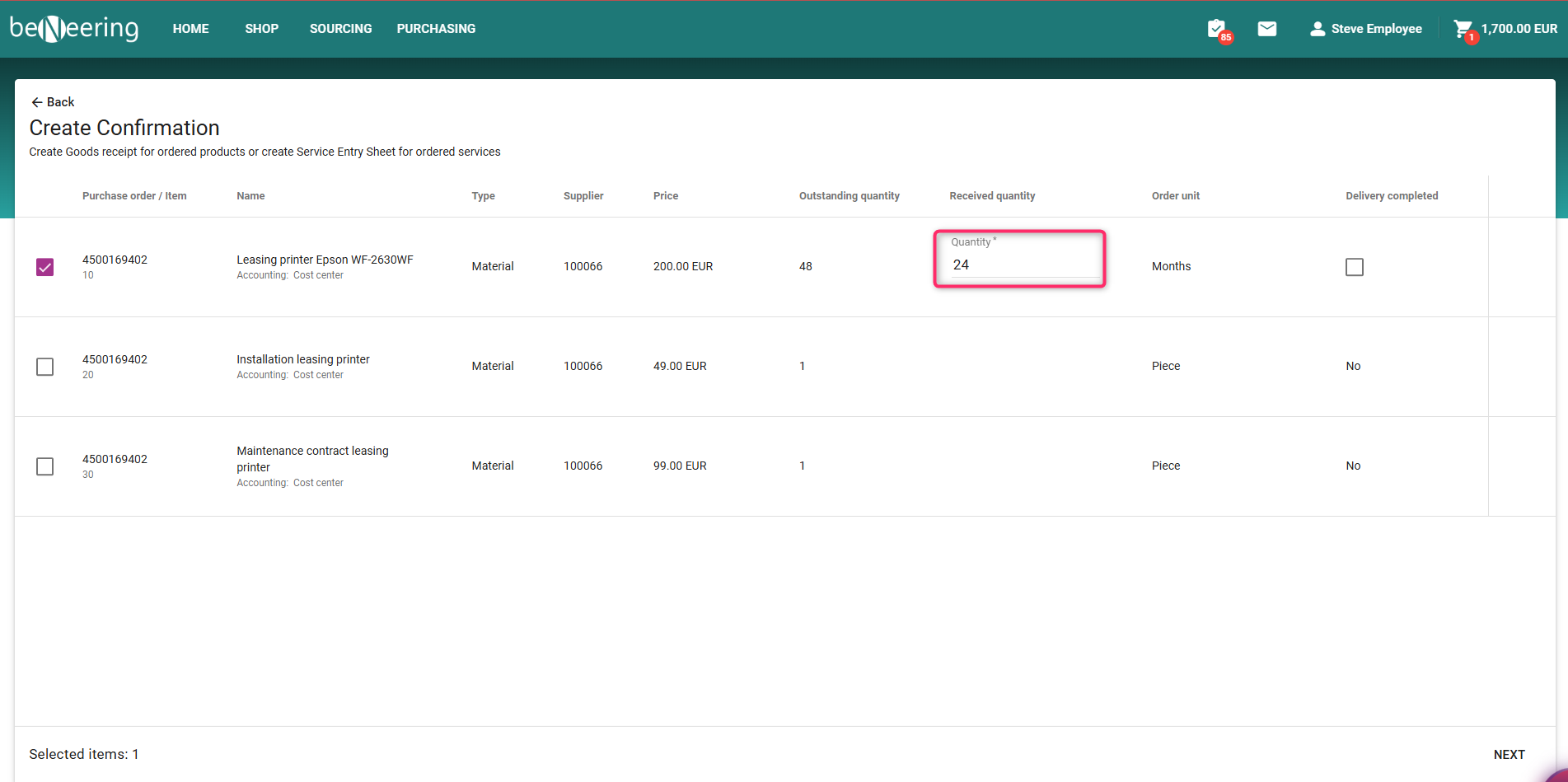
Partial Confirmation
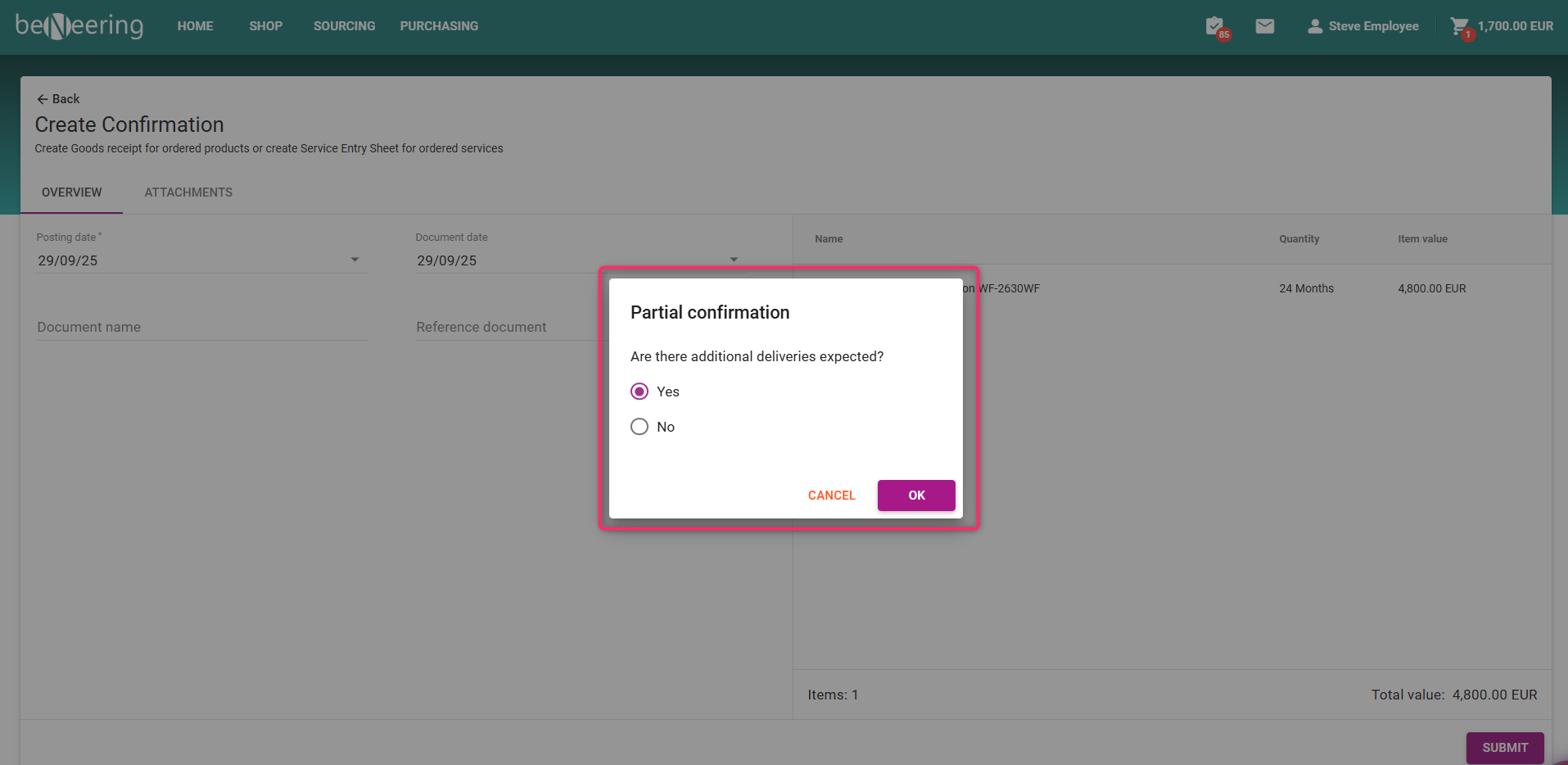
System Prompt
Are there additional deliveries expected
Select using the option
Yes → Order item remains open for future deliveries.
No→ System sets Final Delivery Flag (no more receipts allowed)
Click on Submit
Verify Status
Status will show Final Delivery or Open.
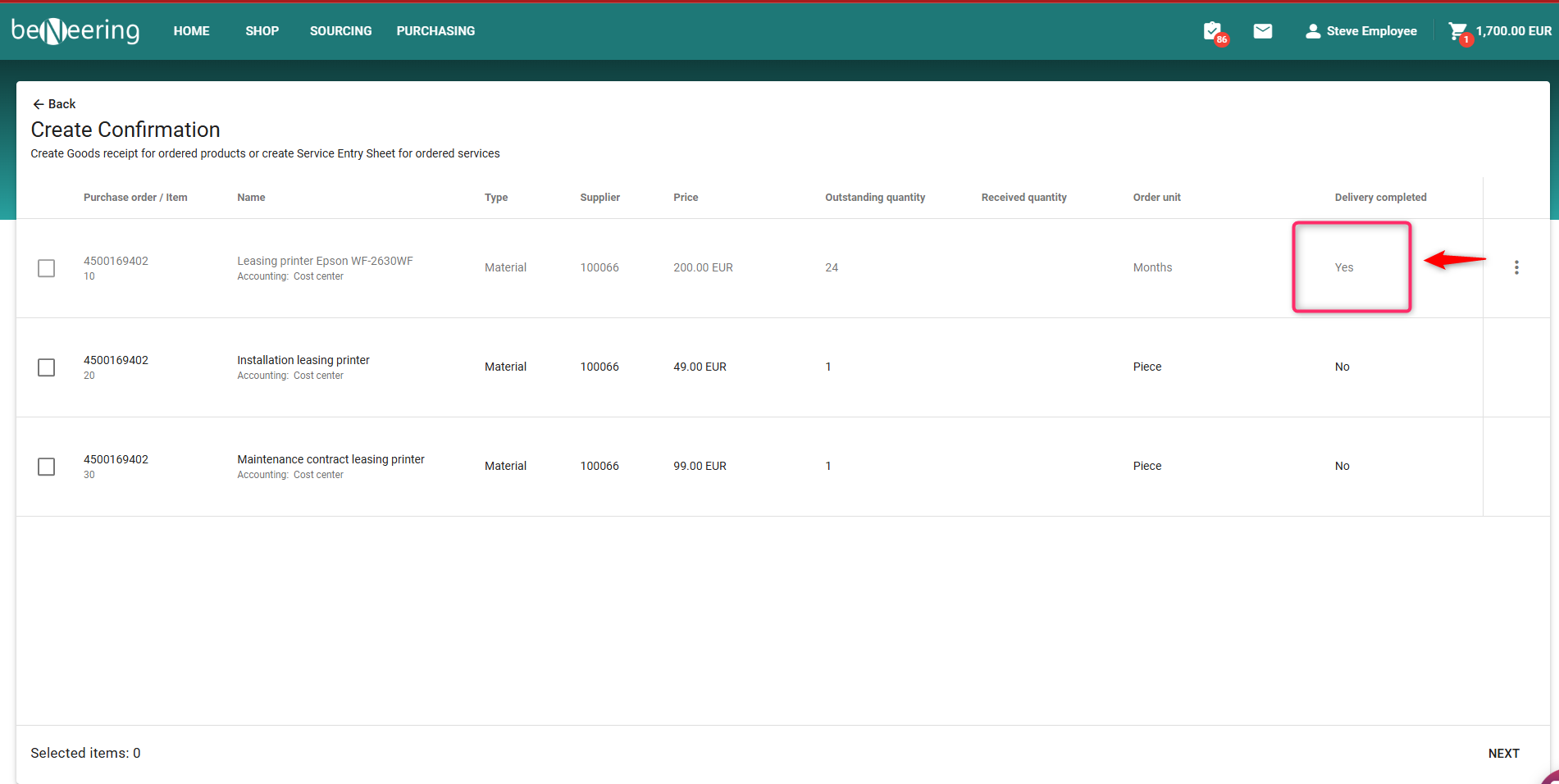
Goods Receipt - Final delivery / Delivery Completed